Service / Troubleshooting / Help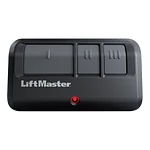
LiftMaster
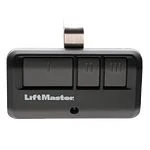
893MAX
Handheld remote
Model detailsSetup / Pairing / Model instructions
Start with the exact remote and receiver. Find the right instructions before pressing a setup button.
A clear way forward
Copy the complete remote and opener or external receiver model.
Check the supported equipment, setup mode and memory warnings.
Keep the door in sight and the travel area clear. Stop if movement is unexpected.
Start here
Different remotes may use different setup modes, button sequences and receiver settings. A generic “press and hold” recipe can erase existing remotes instead of adding a new one.
Find model instructions →Stop repeating an uncertain sequence. Recheck the full model, battery polarity and the exact guide. Confirm whether the opener still responds to another authorized control. A failed pairing attempt does not by itself prove that the remote is defective.
Work through the symptoms →Adding a replacement may leave the lost remote authorized. Follow the opener’s exact removal or memory-erasure procedure with the owner’s permission, and plan to re-enroll retained controls when required.
Make it model-specific
A few useful answers
No. Setup modes and receiver instructions differ. Use the model-specific instructions and keep hardware revisions in view.
Do not improvise a longer press. On some equipment, holding the button erases stored controls. Stop and check the exact procedure.
Not necessarily. Removal or memory erasure is a separate, equipment-specific task; retained controls may need to be enrolled again.
Virtual service assistant
Choose a model and a topic. Please keep access codes, PINs, addresses and contact details private. Your choices stay in this page session.