 Service / Troubleshooting / Help
Broken remote: repair or replace?
Separate case damage, battery trouble and electronic faults before choosing a part or a replacement remote.
A remote that stops opening the garage is not automatically a broken remote. A weak battery, changed settings, interference, or an opener problem can produce similar symptoms. Start with observations that do not require opening the motor housing or changing stored access. The aim is to narrow the problem without making it harder to diagnose.
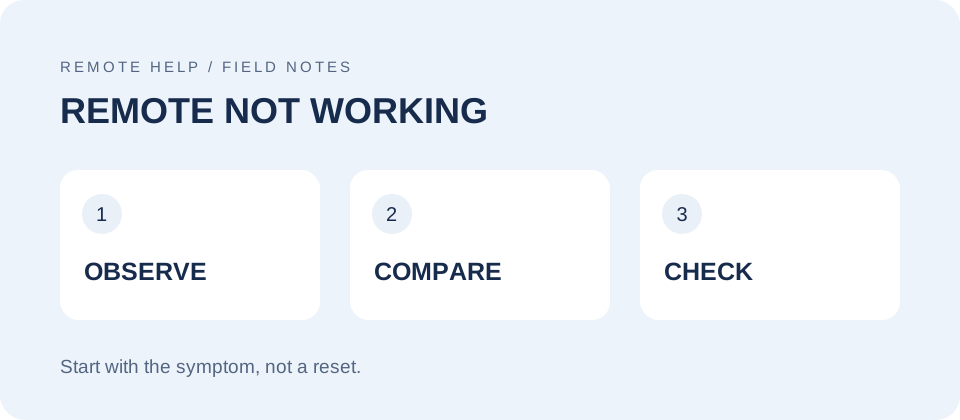
Describe what actually changed
Did the remote stop working after a drop, a spill, a battery change, or new equipment being installed nearby? Does it work close to the door but not from the driveway? Is one button unreliable, or are all buttons affected? Those differences are more useful than simply saying it is broken.
Write down the remote model and opener model before making changes. Use our identification guide if the case markings are unclear. Keep any broken case pieces so the model and battery information are not lost. Do not continue using a device with loose parts or an insecure battery compartment.
Compare it with another control
If a known-working spare operates the same door from the same location while the suspect remote does not, that helps narrow the investigation. It does not prove which internal part failed. If all handheld remotes fail, check the opener's documented lock or remote-disable setting and whether the opener has power.
If the wall control also fails, or the door stops, reverses, or moves unevenly, the problem may be beyond the handheld remote. Stop remote troubleshooting and arrange a door or opener assessment. Do not bypass safety sensors, hold controls to defeat a fault, or adjust springs and cables as part of a remote check.
Check the battery against the exact manual
Use the battery type and orientation specified for the exact remote and revision. Do not assume every LiftMaster or Chamberlain remote uses the same coin cell. A battery that physically fits is not enough to establish the correct specification. Our battery and parts guide and model guide hub can help organize the match.
If the manual describes a user-replaceable battery, follow that opening and closing procedure without forcing the case. Keep loose batteries away from children and pets. Stop if you find corrosion, damaged contacts, or a cover that will not close securely. Do not bridge contacts with metal tools or attempt improvised battery substitutions.
For EV/MAX remotes covered by the manufacturer's FAQ, removing the battery does not erase their programming. That is a model-family fact, not a reason to assume every remote behaves identically. Avoid clearing the opener's memory as the first response to a battery change.
If it only works nearby, consider interference
Compare performance outside the vehicle with performance in its usual storage position. Metal surroundings and nearby electronics can affect reception. Note whether the problem started when a light, charger, camera, or other electronic device was added. Change one safe, accessible factor at a time and record the result.
Do not disconnect opener wiring or safety-sensor wiring for a casual test. Leave internal electrical work and advanced interference isolation to an appropriate service professional. A remote that works intermittently still needs investigation; repeatedly pressing it from out of sight is not a reliable diagnosis.
Dropped, wet, or physically damaged?
Stop pressing a wet or visibly damaged remote and keep it away from accidental activation. Tell the person assessing it what happened and whether any buttons are stuck. Do not use an oven, hair dryer, or improvised repair to force it back into service. Whether repair is practical depends on the actual damage and parts availability.
If replacement is the better option, match it to the receiver rather than the broken case. Compare the specific 893MAX and 893LM references only after checking compatibility. If the old remote is also missing, follow the lost remote guide rather than assuming physical damage removed its access.